Mounting and Installing The sensor can be mounted on a wall or ceiling. For EN approved sites, only ceiling installation is allowed. It must be mounted with its bracket (when it is attached to its bracket the tamper switch is pressed and the sensor automatic reset is performed). 1) Locate the bracket on…
Defaulting SMC Water Sensor
To default the sensor, remove the battery. While pressingthe black Tamper/Default button located near the battery carrier and the wire contacts, insert the battery. Then release the button.
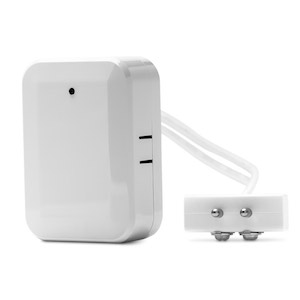
SMC Water Sensor (SMCWA10-Z)
The water sensor allows users to around the clock remotely detect the presence of water to provide early detection of costly leaks and floods that could be caused from sump pumps, water heaters, air conditioners, heavy rains, and more. The SMCWA10-Z consists of a Zigbee transceiver unit, 20ft cable, and…
Defaulting Centralite AZELA In Wall Light Switch
1. Lift the air-gap switch at the bottom of the rocker to OFF position to power down the device. 2. Hold down the UP button 3. Push In the air-gap switch to ON position to power up the device. 4. Release UP button within 4 seconds after…
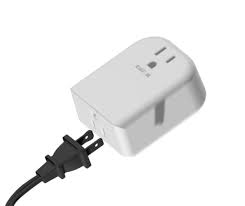
Centralite Azela Appliance Module
CentraLite’s Azela Appliance Module has all the features you would expect in an advanced plug-in module. Equipped with high quality electronics, these devices are built tough to last. The Appliance Module comes equipped with a power amplifier for extended range, current sensing technology (for energy management), and a pass-through electrical…
Defaulting the Visonic Carbon Monoxide Alarm (MCT-442 SMA)
Hold down the tamper switch on the bottom of the device. Insert the battery into the sensor. Wait for the RF module’s green LED to light. In order to see the green LED on the circuit board, the cover must be separated from the housing (to expose the circuit board)…
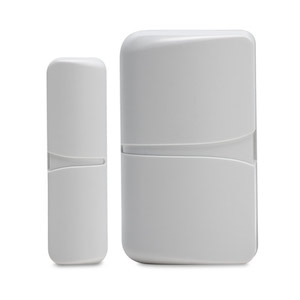
Visonic MINI Door/Window Sensor (MCT-320-SMA)
MCT-320 SMA is a fully supervised, compact Zigbee door/window contact transmitter, designed primarily for protecting doors and windows. Suitable for any residential or commercial environment this low-profile transmitter gives the added advantage of a particularly small size that allows for highly flexible and virtually invisible installation. The MCT-320 SMA boasts…
Defaulting a Centralite AZELA Thermostat
To default the thermostat, first remove the thermostat cover and batteries. Place two batteries into the thermostat(the positive terminals will face left) Press and hold the reset button(top left) and the hold button(bottom center). Release the reset button while keeping the hold button depressed. When the screen begins to come…
AZELA Thermostat Programming Guide
See the attached file for programming information. CentraLite_HA_Thermostat_Booklet
Performing a Network Reboot
Power off all networking equipment, including the HUB, any personal router, and your cable modem, or device providing your internet connection. Power up ONLY the first device(the device that provides your internet connection, i.e. cable modem) and allow it to come completely back online. With a computer connected to the…