CLIP Applications General Guidance for Installation Installation Procedures Regular Mounting Bracket Mounting Setting the Coverage and Range A 4-pin jumper is used to select 3 ranges, according to the type of installation, for the curtain beams. The purpose of the range setting is to ensure optimal signal processing…
Installing the Visonic Pet-immune Motion Detector (NEXT-K985-SMA)
General Guidance for Installation 1. Do not install near sources of heater/cooling. 2. Do not aim at windows. 3. Do not install outdoors. 4. Do not install where direct sunlight can strike the unit. 5. Do not install near high-voltage electrical lines. 6. Do not install behind any obstruction.…
Installing the Hitron HT-DW1
It is highly recommended to attach the transmitter to the fixed frame and the magnet to the movable part (door or window). Make sure that the magnet is located not more than 6 mm (0.25 in.) from the transmitter’s marked side. Hitron’s HT-DW1 is a micro door/ window sensor, using a magnetic…
Installing the Visonic MCT-302
Auxiliary Input Wiring Remember! If your application does not require the auxiliary input, be sure to set DIP switch SW2 to OFF and to short the input terminals together with a piece of jumper wire. Connect the auxiliary detector’s alarm contacts across the MCT-302 auxiliary input terminals. If the auxiliary input of the…
Installing the Tyco MCT-340
Mounting It is highly recommended to attach the transmitter to the top of the door/window on the fixed frame and the magnet to the movable part (door or window). Make sure that the magnet is located not more than 6 mm (0.25 in.) from the transmitter’s marked side. The transmitter…
Installing the Door Window Sensor Rev 2 (SMCDW02-Z)
Inserting the Battery Find the locking mechanism on the bottom of the SMCDW01-Z. Holding the SMCDW01-Z in one hand, carefully insert the tip of a screwdriver into the locking mechanism. Push lightly upwards from the back of the SMCDW01-Z until the back plate separates from the sensor. Find the supplied…
Installing the SMC Water Sensor (SMCWA10-Z)
Find a suitable location for the wireless radio. Note: For best signal strength, place the wireless radio as high as possible. Find a suitable location to place the water sensor probe. Examples include baseboards, drip pans, etc. Placement should be as close to the surface as needed. The sensor is…
Installing the Visonic Water Sensor
Installaing Attach the flood sensor near the floor. Secure the flood sensor and its cable to the wall using the three wire clamps. One clamp should be fastened immediately above the flood sensor. The flood sensor should be installed only in a vertical position, and facing downward. The remaining two clamps can be used…
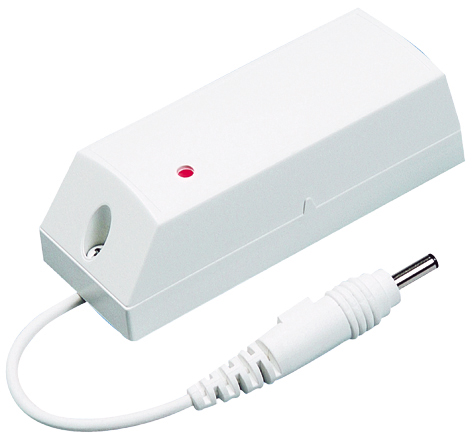
Visonic Water Sensor (MCT-550 SMA)
MCT-550 SMA is a fully supervised wireless flood detector, designed to detect the presence of water. MCT-550 SMA mounts on the wall, avoiding damage due to water exposure, and uses a 10ft long sensor cable to detect water at floor level. Specifications Installation Pairing Resetting Features and Specifications Detects water…
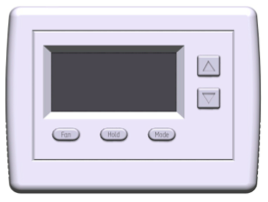
Centralite Azela Thermostat (3156105)
The CentraLite Azela Thermostat is designed to interoperate with other certified ZigBee HA 1.1 devices. The thermostat was designed from the ground up with interoperability in mind. Its simplistic interface makes it easy for the end user to understand and operate. The thermostat is also designed to take complete advantage…